
Introduction
This document explains the additional steps to enable the SmartFlo Automation and Auto Job functionality to work within SmartFlo and Microsoft 365.
This will enable the Teams Meeting experience tab, automatically add SmartFlo to your meetings and enable you to automate the execution of SmartFlo based on meeting criteria.
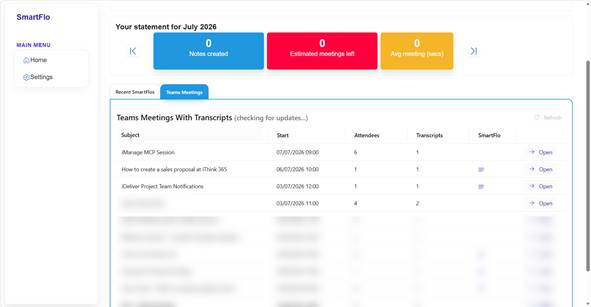
Process
The processing of SmartFlo Auto Jobs will take up to 24 hours to complete following the configuration below. This is because SmartFlo has to register itself with your Microsoft 365 Tenant to receive notifications when a Microsoft Teams Meeting Transcription is created. The process takes place overnight (UTC).
Enable Elevated Calendar
Browse to SmartFlo https://apps.smartflo.ithink365.co.uk
Click on Settings
Choose Extra Features
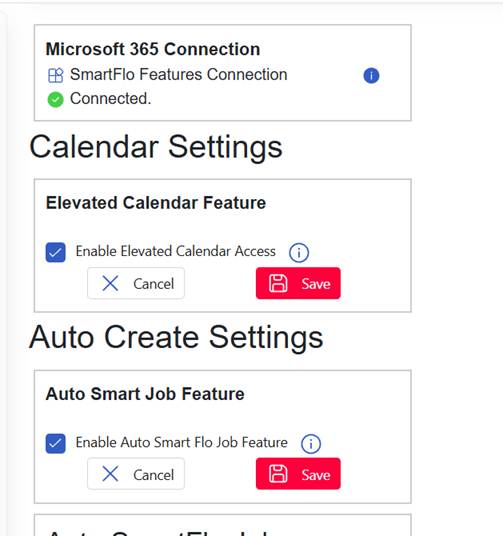
Ensure that both options are enabled for Elevated Calendar and Auto Smart Jobs.
Click save after enabling each.
Note: if you cannot see the options for Elevated Calendar and Auto Smart Job speak with iThink 365 Support desk who will enable the feature for you.
Install Microsoft Teams PowerShell Module
Install Microsoft Teams PowerShell - Microsoft Teams | Microsoft Learn
Run Powershell 7 as Administrator
Install-Module -Name MicrosoftTeams -Force -AllowClobber
Restart PowerShell
Setup Application Access Policy
Using PowerShell connect to Microsoft Teams
Connect-MicrosoftTeams
- Use an account that has the Microsoft Teams Administrator Entra ID Role
New-CsApplicationAccessPolicy -Identity iThinkConnectSmartFlo -AppIds " 8c46462b-337d-420e-9b90-68df4e944fd9" -Description "Allow iThink Connect SmartFlo to access Microsoft Teams meetings to get transcriptions"
Grant-CsApplicationAccessPolicy -PolicyName iThinkConnectSmartFlo -Global